

Alder Trust: a nonprofit website and brand built on trust
A concept donor-advised fund sponsor. We designed its brand and a twelve-template website with a design system, editorial reports, a timeline and scroll-driven motion.
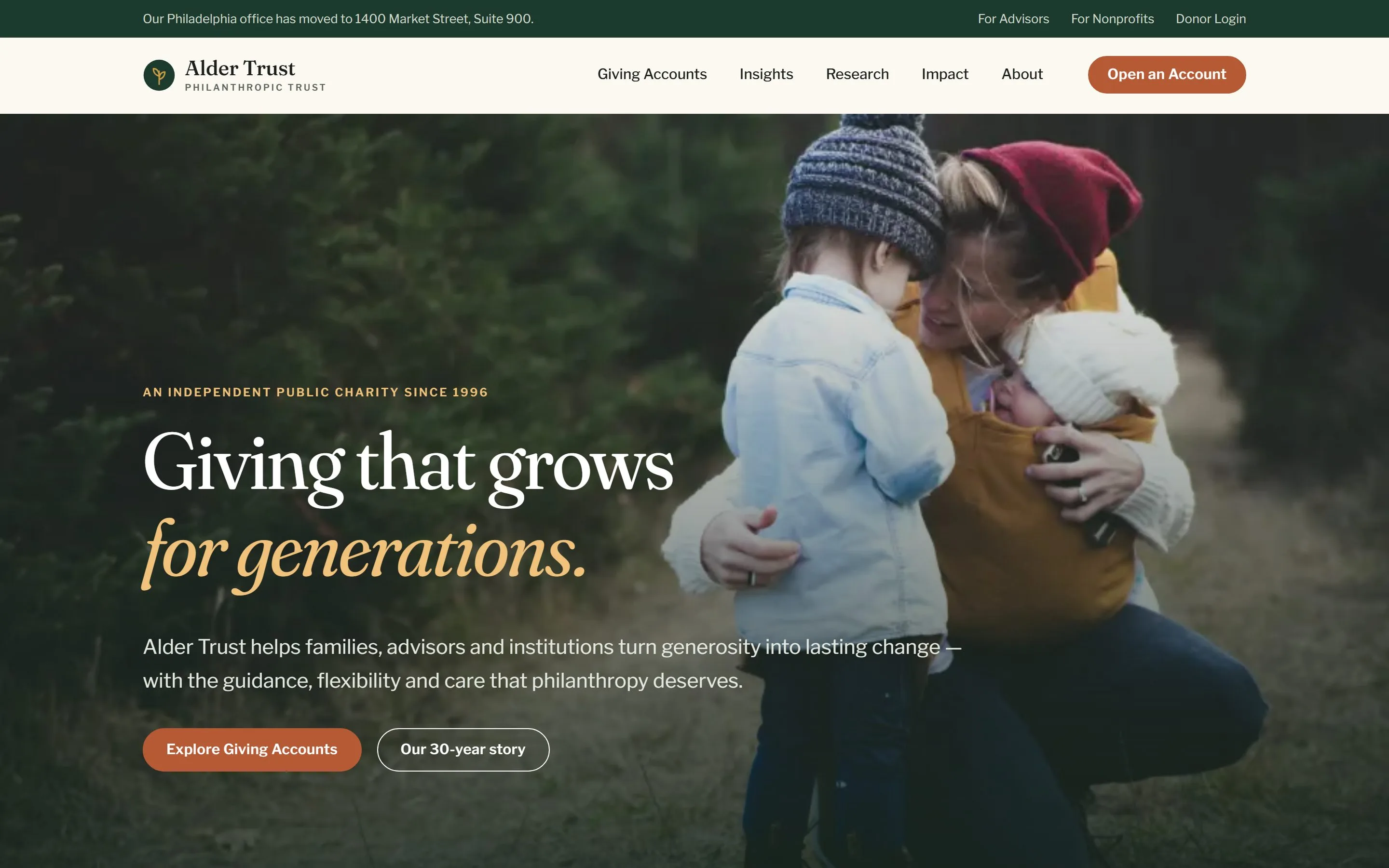
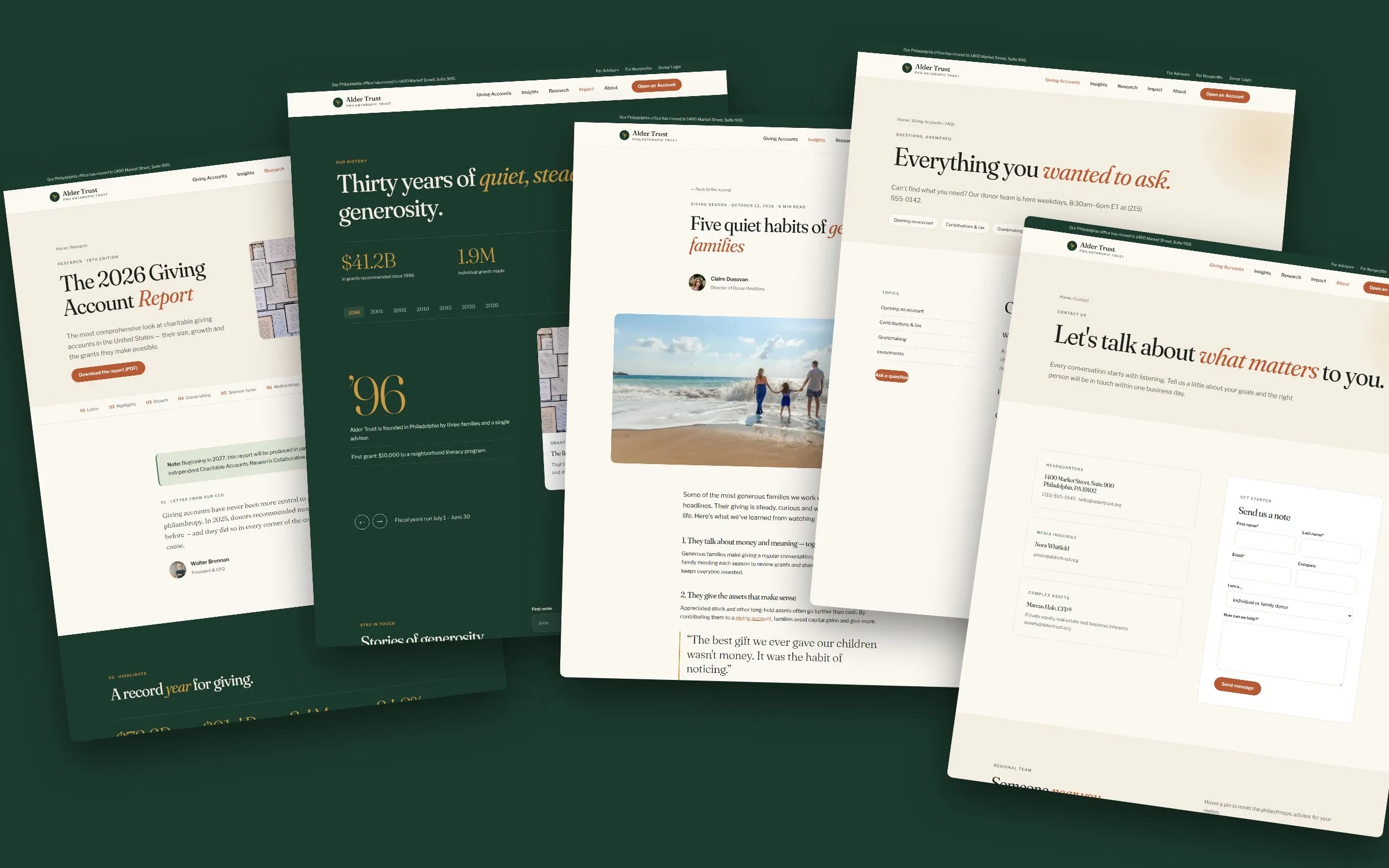
Alder Trust is a concept donor-advised fund sponsor that helps families, advisors and institutions give. We made it to show how we work as a nonprofit web design agency: a brand and digital experience that explains complex charitable giving in plain language, earns trust in seconds and can scale to new countries without a rebuild. The result is a warm, editorial website with twelve purpose-built templates, a flexible design system and scroll-driven motion. It treats generosity as a story rather than a transaction.
Project facts
- Type - self-initiated concept. Alder Trust, its grants, figures and history are sample content.
- Sector - philanthropy, donor-advised funds
- Market - United States, multi-locale ready
- Services - brand identity, information architecture, UX and UI design, design system, front-end development, motion design, content strategy
The challenge: making charitable giving feel human
Philanthropy websites tend to fall into two camps. Some are cold financial portals that read like a brokerage. Others are generic charity sites that undersell the expertise behind them. A donor-advised fund sponsor has to be both: as credible as a wealth manager and as warm as a community foundation. We identified four problems to solve:
- Complexity. Giving accounts, tax deductions, grantmaking rules and impact investing are hard topics. Most donors arrive with one question, such as “Can I use my DAF account for that?”, and leave if they can’t find the answer.
- Three audiences, one site. Individual donors, financial advisors and nonprofits each need a different path in, without the site feeling fragmented.
- Trust at first glance. Visitors are deciding whether to hand over assets. Every typographic and color choice had to signal stability, not startup.
- Global from day one. The US site was the first of several locales, so content, navigation and formatting had to be swappable per region.
Our approach: strategy before pixels
A nonprofit website UX audit and information architecture
We started with a nonprofit website UX audit of leading donor-advised fund sponsors, cataloging every page type across their sitemaps. That produced eleven template types, from homepage and pillar pages to research reports, annual reports and author archives. They became the backbone of our nonprofit information architecture. See our UX audit service.
The navigation was reduced to five clear areas: Giving Accounts, Insights, Research, Impact and About. A utility bar gives advisors and nonprofits their own direct entry points. Every page is at most two clicks from opening an account.
Philanthropic content strategy
Our philanthropic content strategy turned jargon into conversation. “Donor-advised fund” becomes “giving account” in headlines, while the technical term stays in body copy for search. Complex topics such as donor advised fund tax benefits, deduction limits and grantmaking rules live in an FAQ written as the real questions donors ask. The homepage leads with impact stories and hard numbers before it explains the product.
Brand identity: philanthropic organization branding with warmth
The philanthropic organization branding draws on the alder tree, a pioneer species that enriches the soil around it so other things can grow. The mark is a simple seedling inside a forest-green circle, drawn in gold.
- Color. Deep forest green (#1d3a2e) for stability, warm cream (#f4ede1) and paper tones for approachability, terracotta (#b65a36) for action, gold (#c99a45) for moments of celebration and a muted sage (#5c7f5f). There is no tech blue and no neon. The palette reads as heritage and wealth stewardship, not fintech.
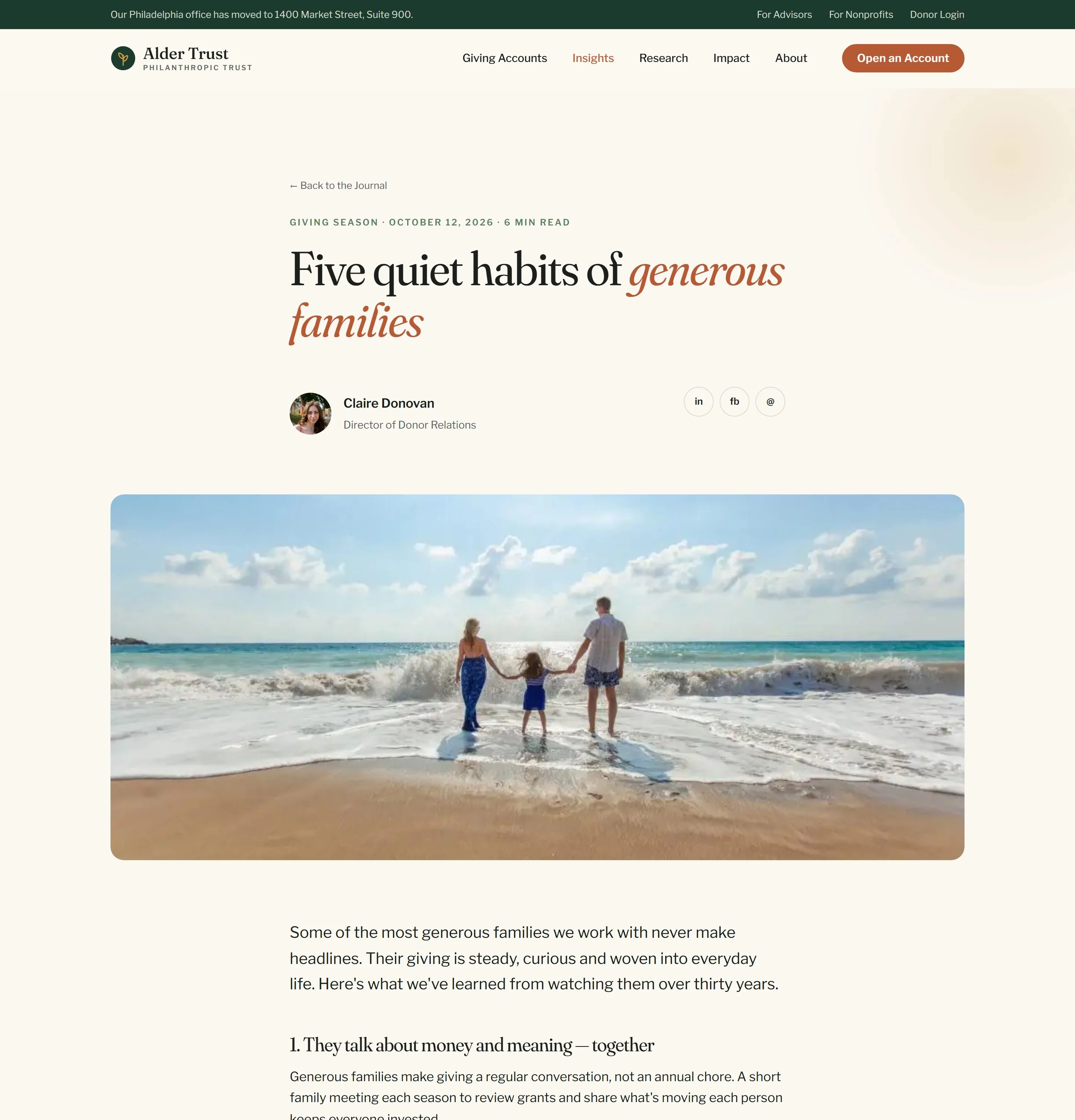
- Typography. Fraunces, a soft, optically sized serif, carries the headlines, and italic accent words add a human, handwritten warmth (“Giving that grows for generations”). Libre Franklin, a classic American grotesque with editorial roots, handles body copy and UI. Together they avoid the rigid, interchangeable feel of most SaaS typography.
- Photography. Natural light, real families, forests and hands, chosen to feel documentary rather than staged, with a dark green gradient that unifies every hero.
These rules were codified into a foundation brand identity system that carries from the website into reports, decks and print.
UX and UI design: twelve templates, one calm system
Homepage: impact first
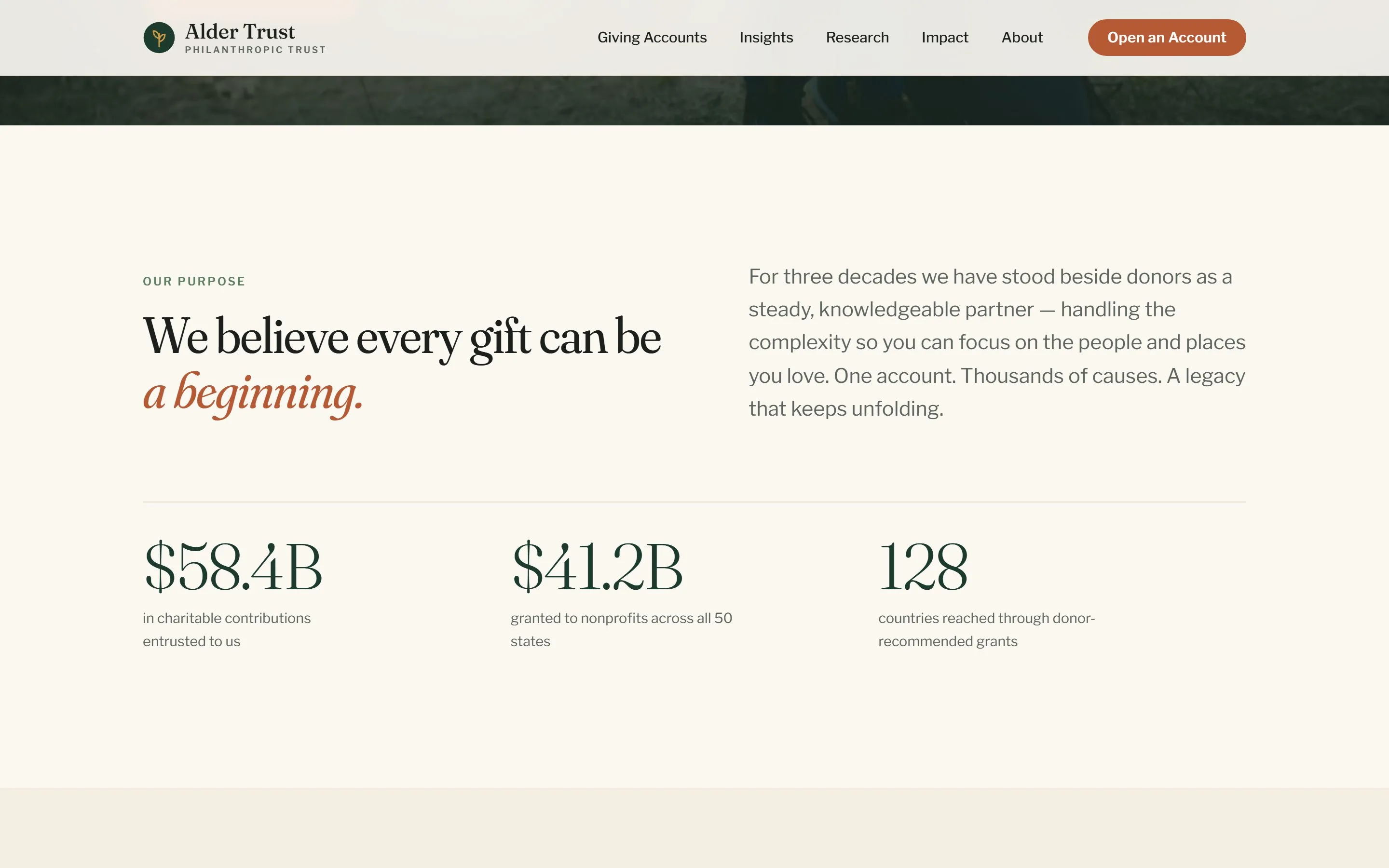
The homepage opens on a full-bleed family photograph that slowly settles into place, followed by a single sentence of purpose. Three animated counters show contributions, grants and countries reached. A horizontal Grants in Action carousel tells three funded stories, each with a grant amount. Link clusters for donors, advisors and the curious route each audience onward.
Giving account pillar page: charitable giving platform UX
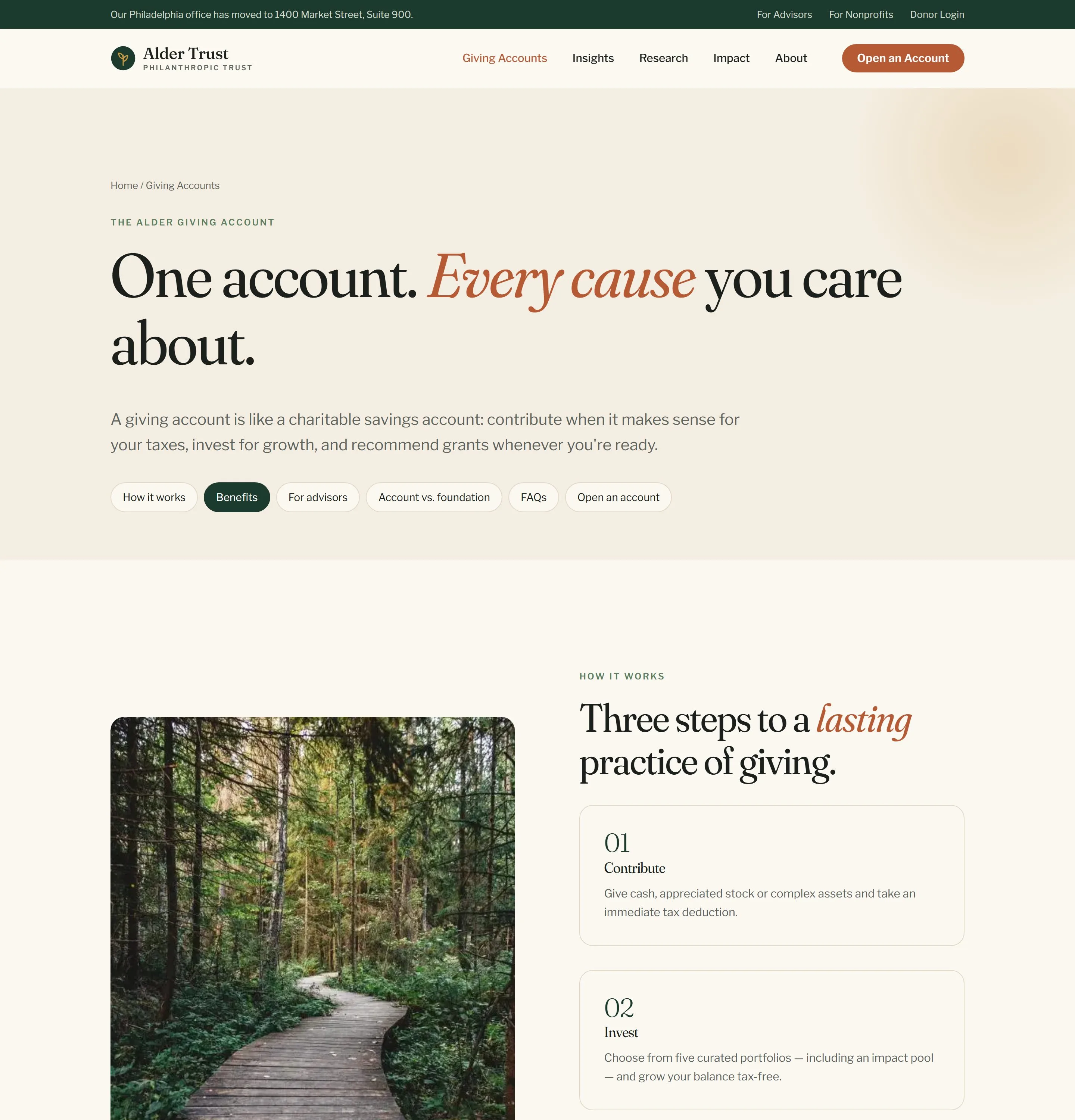
The product page explains a DAF account in three numbered steps: Contribute, Invest, Recommend grants. Sticky in-page navigation lets visitors jump between benefits, advisor partnerships and a side-by-side comparison of a giving account and a private foundation. The page is built around high-intent topics like donor-advised funds and charitable foundation setup.
Advisor pathways: wealth advisor portal design
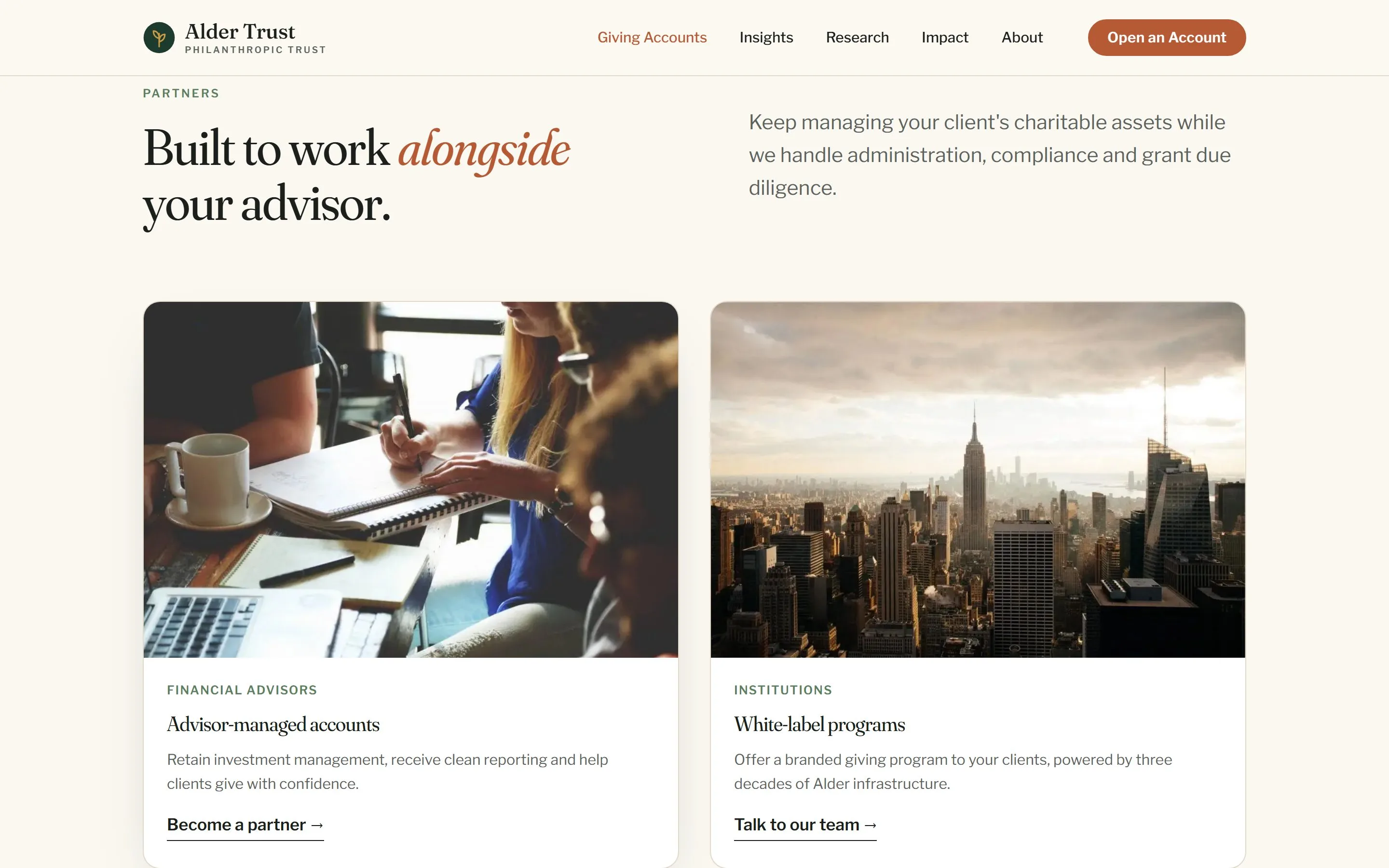
Advisors get their own route, with partnership cards for advisor-managed accounts and white-label programs. It is the entry point for a future wealth advisor portal design and non profit donor portal design. The card, form and table components are already built to extend into authenticated dashboards.
FAQ: answers before anxiety
Twenty-plus questions sit in smooth-opening accordions grouped by topic, with a sticky side menu on desktop. It is the page most visitors need and most sponsors bury. It is marked up for FAQ rich results and written around long-tail searches such as donor advised fund rules and donor advised fund deduction.
Interactive 30-year timeline
A dark, immersive timeline replaces a static history page. Visitors step through key years with tabs or arrows, and each year reveals milestones and a funded grant story. A large serif year numeral animates in with every change.
Research report and annual report: data that reads like a story
Long-form research and annual reports were designed as editorial web pages rather than PDF downloads. A sticky numbered table of contents tracks progress. Bar charts grow into place as they enter the viewport, a donut chart breaks down grants by field, and headline statistics count up. The financials, board listing and downloadable PDFs follow the patterns of endowment fund web design that institutional readers expect.
Journal, authors and leadership
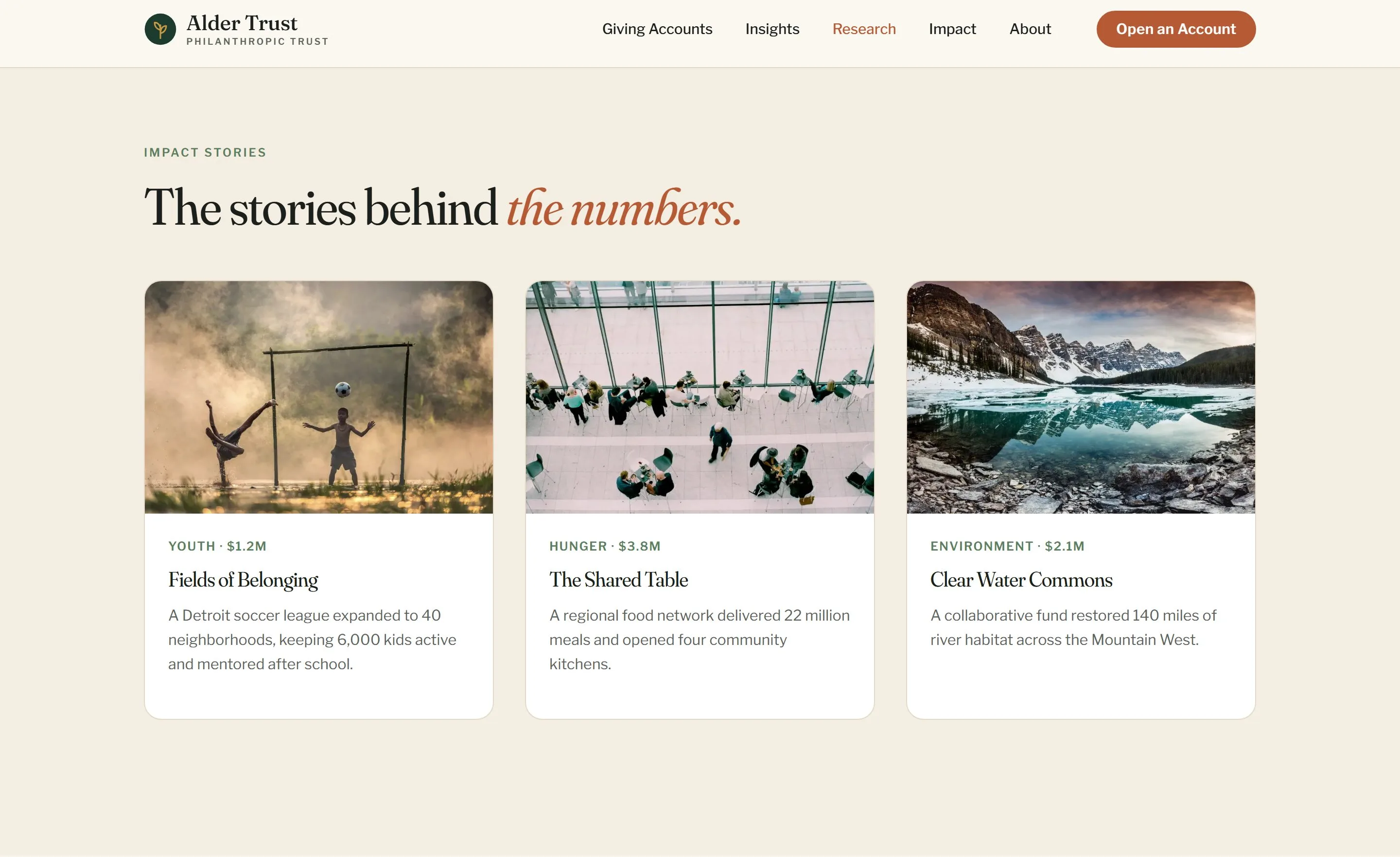
An editorial Journal supports SEO and donor acquisition web strategy: featured stories, category filters, author archives with a Load more button, and article pages with bylines, pull quotes and related reading. Leadership profiles reuse the same system, giving the organization faces as well as figures.
Contact: a regional team, mapped
The contact page pairs a short lead form with an interactive map of the US. Hovering a pin introduces the philanthropic advisor for that region. Form fields have soft focus rings, and every form leads to a calm, photographic thank-you page.
Motion and interaction design
Motion was designed to feel like turning the pages of a well-made book, never like a product demo. Every section has an on-scroll reveal:
- Hero settle - the hero image eases from 108% to 100% scale on load.
- Scroll reveal - content fades up 36 px as it enters the viewport, on every section.
- Staggered grids - cards, tiles and stats reveal in sequence, 90 ms apart.
- Image unmask - photographs open from an inset clip-path.
- Counting stats - numbers count up with an ease-out curve when visible.
- Growing bar charts - bars scale from zero to value on scroll.
- Card hover - the card lifts, the shadow deepens and the image zooms slowly.
- Carousel and timeline tabs - scroll-snap slides with a live counter, and a year switcher with fade-up panels.
- Accordion, map pins and load more - a rotating chevron, pulsing pins with tooltips, and articles that reveal in place.
- Mega-menu and mobile nav - dropdowns ease in, and a full-screen serif menu opens on mobile.
- Sticky header - the header gains a hairline border on scroll.
Every animation respects the operating system’s reduce-motion setting, so accessibility is never traded for delight.
Nonprofit design system UI
The nonprofit design system UI is a small, deliberate set of tokens and components: color and type tokens, buttons, cards, stat tiles, carousels, accordions, tables, charts, forms and editorial prose styles. Twelve templates are composed from these parts, which keeps the site consistent and quick to extend. The components are already in place for donor advised fund software UI UX and a nonprofit financial dashboard UI in a later phase.
Built for accessibility and global scale
- Foundation website development without bloat. Hand-built HTML, one stylesheet and one script shared across every page. There is no framework, and the whole site, including photography, is under 2 MB.
- Optimized imagery. Every photograph is compressed WebP and lazy-loaded below the fold, with the hero preloaded.
- Charitable trust website accessibility. Semantic headings, keyboard-reachable menus and pins, visible focus states, descriptive alt text, readable contrast on every background and full support for reduced motion.
- Multi-locale architecture. Navigation, footer, contact details, newsletter copy and number formatting live in one locale file per country. A new market, such as the UK or Canada, is a content and color change rather than a rebuild.
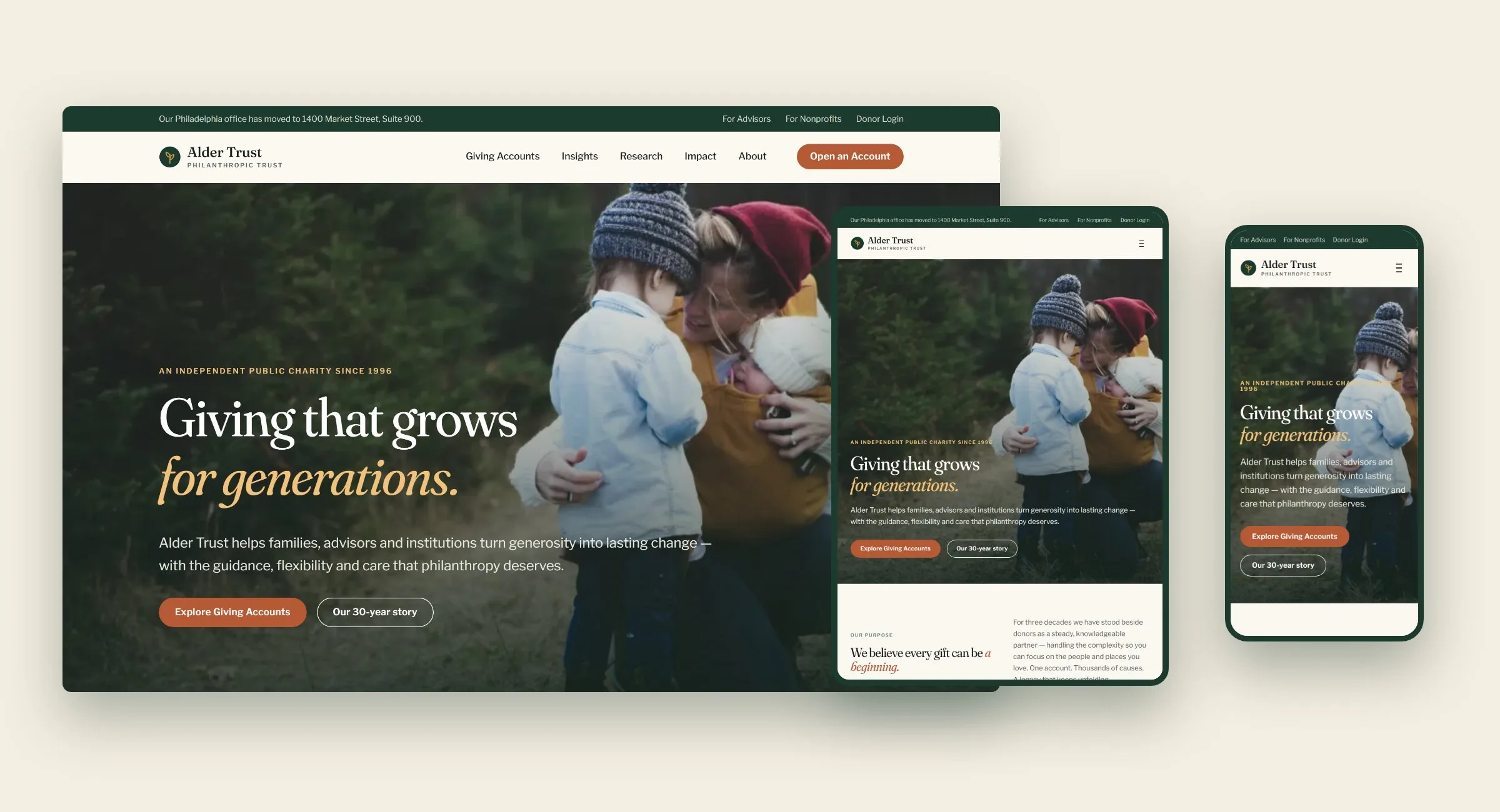
- Fully responsive. Every template was designed for mobile, tablet and desktop, with a full-screen editorial menu on small screens.
Outcome
Alder Trust is a digital home that looks and feels like an established, knowledgeable and deeply human institution: a giving account explained in plain language, a dedicated path for advisors, and research that reads like journalism. The design system and locale architecture are ready for the next country.
Planning a nonprofit website redesign?
We partner with foundations, charities and philanthropic organizations on web design services for nonprofits, from UX audit to launch. See our web design, branding and UX audit services, nonprofit work, or start a project.
FAQ
Is Alder Trust a real organization?
No. Alder Trust is a self-initiated concept we created for this project. The grants, figures and history are sample content.
What does a nonprofit web design agency do?
A nonprofit web design agency plans, designs and builds websites for charities, foundations and philanthropic organizations. The work covers strategy, information architecture, branding, UX/UI design, accessibility, content and development, all shaped around donors, members and mission rather than sales.
How much do nonprofit website design services cost?
Cost depends on the number of templates, integrations (donation platforms, CRMs, donor portals) and content needs. A focused brochure site and a multi-locale platform with a design system are very different projects, so we scope every engagement around goals rather than page counts.
Can you design a donor portal or DAF software interface?
Yes. Our component library is built to extend into authenticated experiences, including donor portals, advisor dashboards and a nonprofit financial dashboard UI for grant tracking and reporting.
How do you make a charity website accessible?
We design to WCAG guidelines from the start, with semantic structure, sufficient color contrast, keyboard navigation, visible focus states, descriptive alt text and reduced-motion support. Accessibility is part of the design system, not a final audit.
Do you offer nonprofit website UX audits?
Yes. A UX audit reviews your information architecture, content, accessibility, performance and conversion paths, then gives a prioritized roadmap. It's often the first step before a redesign.
Can one website serve multiple countries?
Yes. We build locale-ready architecture so navigation, content, currency and contact details change per market while the design system stays shared.