

Fieldmark: civil tech website and design system for infrastructure software
A concept brand for infrastructure software. We designed its identity, website and design system: eight page templates, 30+ components and 14 motion patterns for survey, BIM and construction management products.
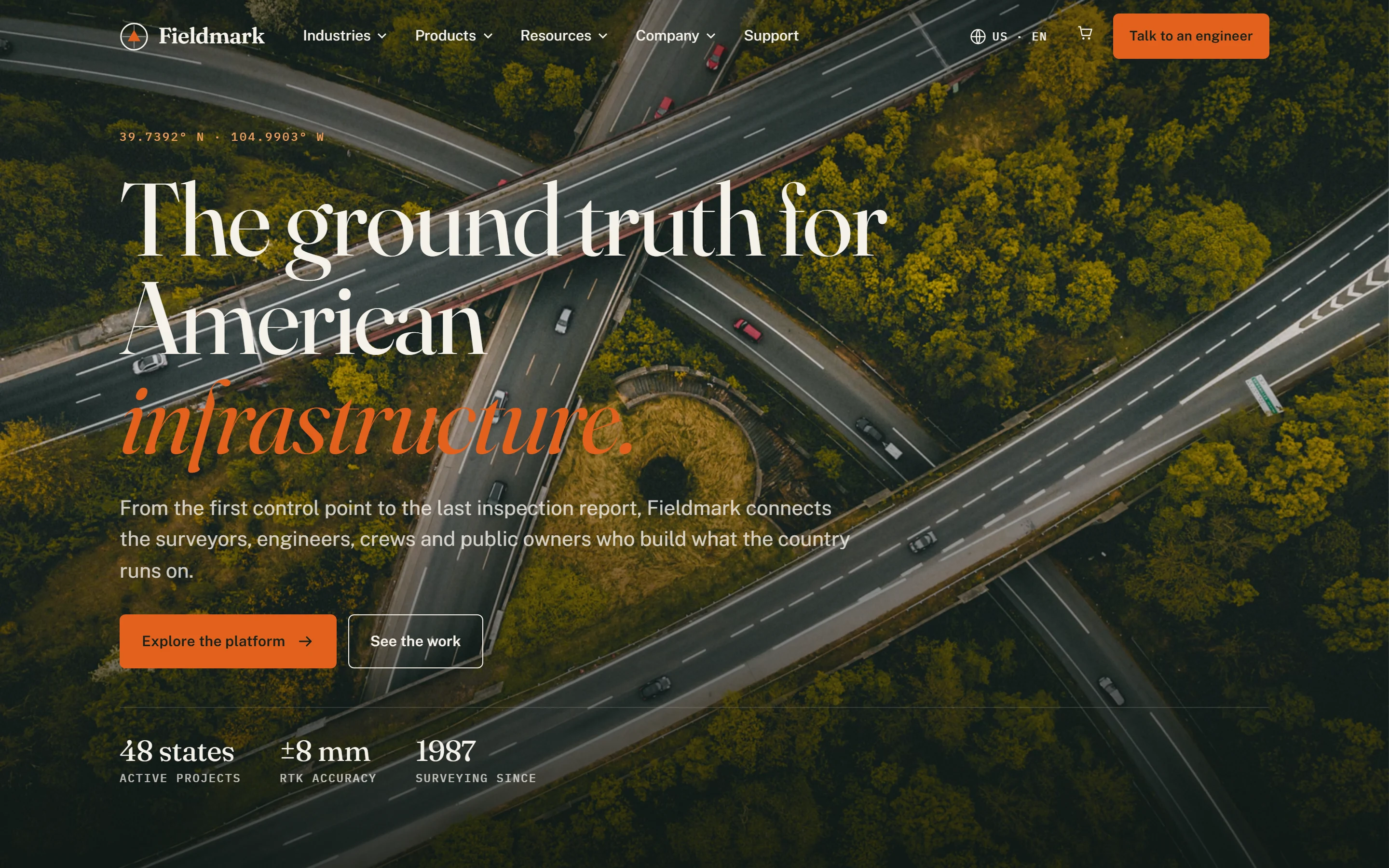
Fieldmark is a concept brand we made to show how we design for infrastructure software: survey instruments, construction management software and asset platforms. As a civil tech software design agency, we designed its brand, website and design system, and built the site as eight page templates. The result is construction tech UI/UX design that reads as precise to an engineer and plain to a field crew: the infrastructure software product design and enterprise SaaS design agency work that complex products need.
Project facts
- Type - self-initiated concept. Fieldmark, its products and its customers are fictional.
- Industry - civil engineering, heavy civil construction, geospatial
- Services - brand identity, UX audit, information architecture, UI design, design system, motion design, front-end build
- Deliverables - 8 page templates, 30+ components, a localization-ready structure
- Platform - static HTML, CSS and JavaScript, no framework
The challenge: infrastructure software product design without the SaaS clichés
Civil tech products are some of the most complex in B2B: robotic total stations for total station survey, RTK GNSS receivers, 3D laser scanners, mobile mapping systems, GIS data collectors, BIM structural suites and construction management software that runs job cost and payroll across heavy equipment fleets and civil construction projects. It is civil construction management software, SaaS construction management software and project management software for construction projects in one portfolio. Most category websites fall into one of two traps. They are equipment catalogs nobody reads, or generic SaaS pages that could sell anything.
The audiences barely overlap. A state DOT engineer, a heavy civil contractor and a survey crew chief each need a different path, and each can tell within seconds whether a brand understands their work. The site had to:
- Turn a wide portfolio (field hardware, desktop software, cloud) into a clear structure
- Win trust with technical buyers who distrust marketing language
- Support eight very different page types, from long-form editorial to a construction management platform checkout
- Be ready to launch in the US first, with other markets following from the same codebase

Research and audit: an industrial UI/UX audit of the category
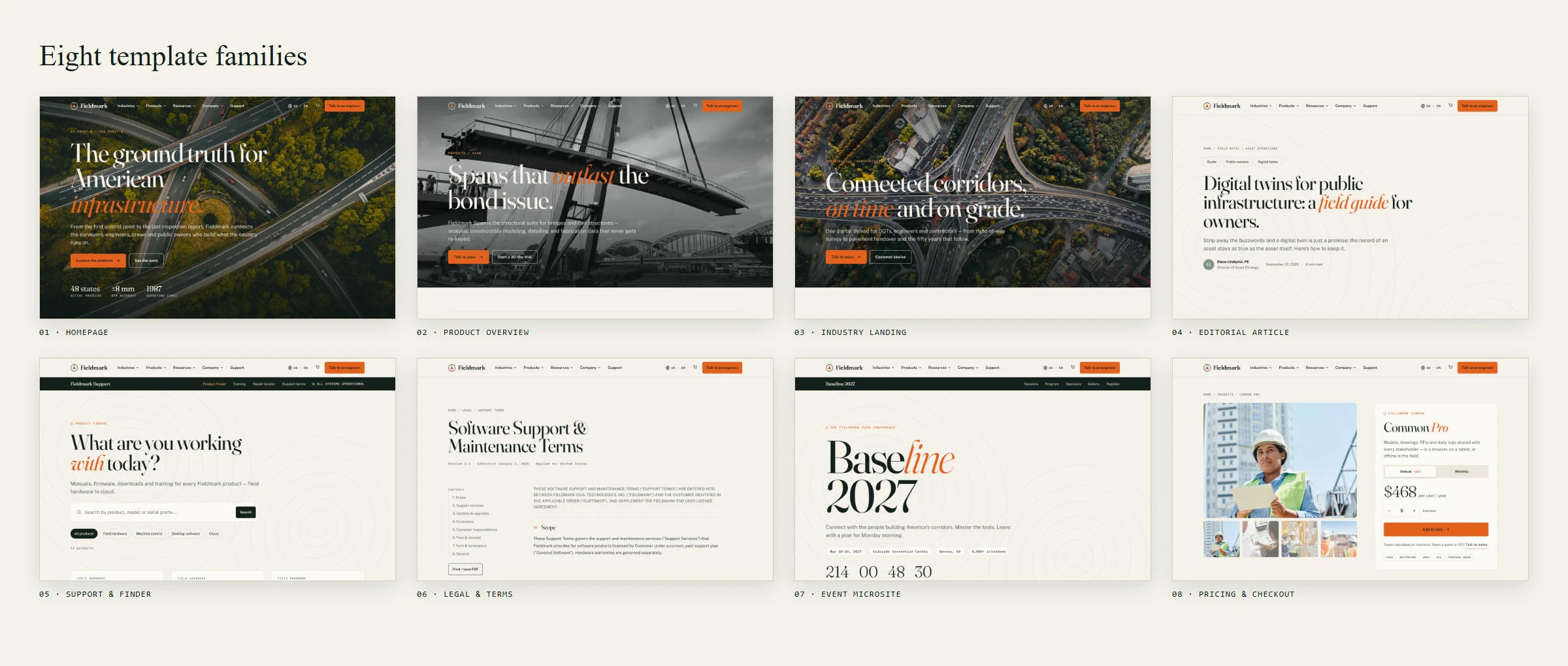
We began with a structured audit of enterprise civil tech and construction software websites. We crawled category sitemaps and grouped thousands of URLs into eight recurring template families: homepage, product overview, industry landing, editorial article, support tool, legal document, event microsite and pricing and checkout.
For each family we documented layout patterns, conversion paths and friction points. The common problems:
- Mega menus that list products but never say what they do
- Stat blocks with no context (“99%” of what?)
- Support portals that look like a different company
- Pricing pages with no clear plan comparison
The audit became the blueprint: keep the patterns buyers expect, fix the friction, and give every template a reason to exist. The same method works for construction app UX optimization on live products, including construction site audit software and field tools.
Information architecture built around how infrastructure gets built
Navigation follows the life of an asset: Industries, Products, Resources, Company. Each mega-menu item pairs a product name with a plain-language job (“Machine control for earthmoving fleets”, “Bridge & structural engineering suite”), so a visitor never needs to know the product names to find the right tool.
Products are grouped by where the work happens, in the field or in the office and cloud, and every menu ends with a featured story card that leads into editorial content.
B2B industrial tech brand identity: precision with a human hand
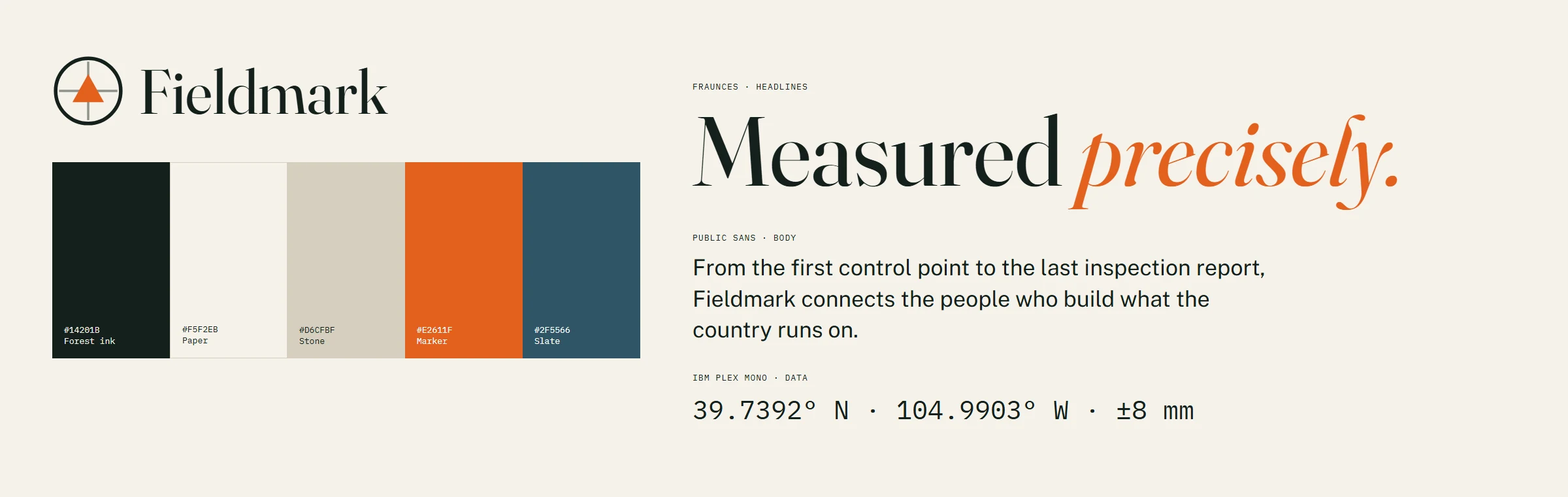
Name and mark. Fieldmark comes from surveying: a field mark is a measured point that everything else is tied to. The logo pairs a survey crosshair with a benchmark triangle in signal orange, simple enough to etch onto a GNSS receiver.
Color. We skipped the default tech blue. The palette comes from the jobsite: deep forest ink, warm concrete paper, stone, and a survey-marker orange used sparingly for action and emphasis.
Typography. Industrial software UI design often defaults to rigid geometric sans-serifs. We went the other way:
- Fraunces, a soft editorial serif with italic accents, for headlines with character
- Public Sans, a civic, highly legible sans, for body copy and interface text
- IBM Plex Mono for coordinates, labels and data, echoing the readouts on a robotic total station
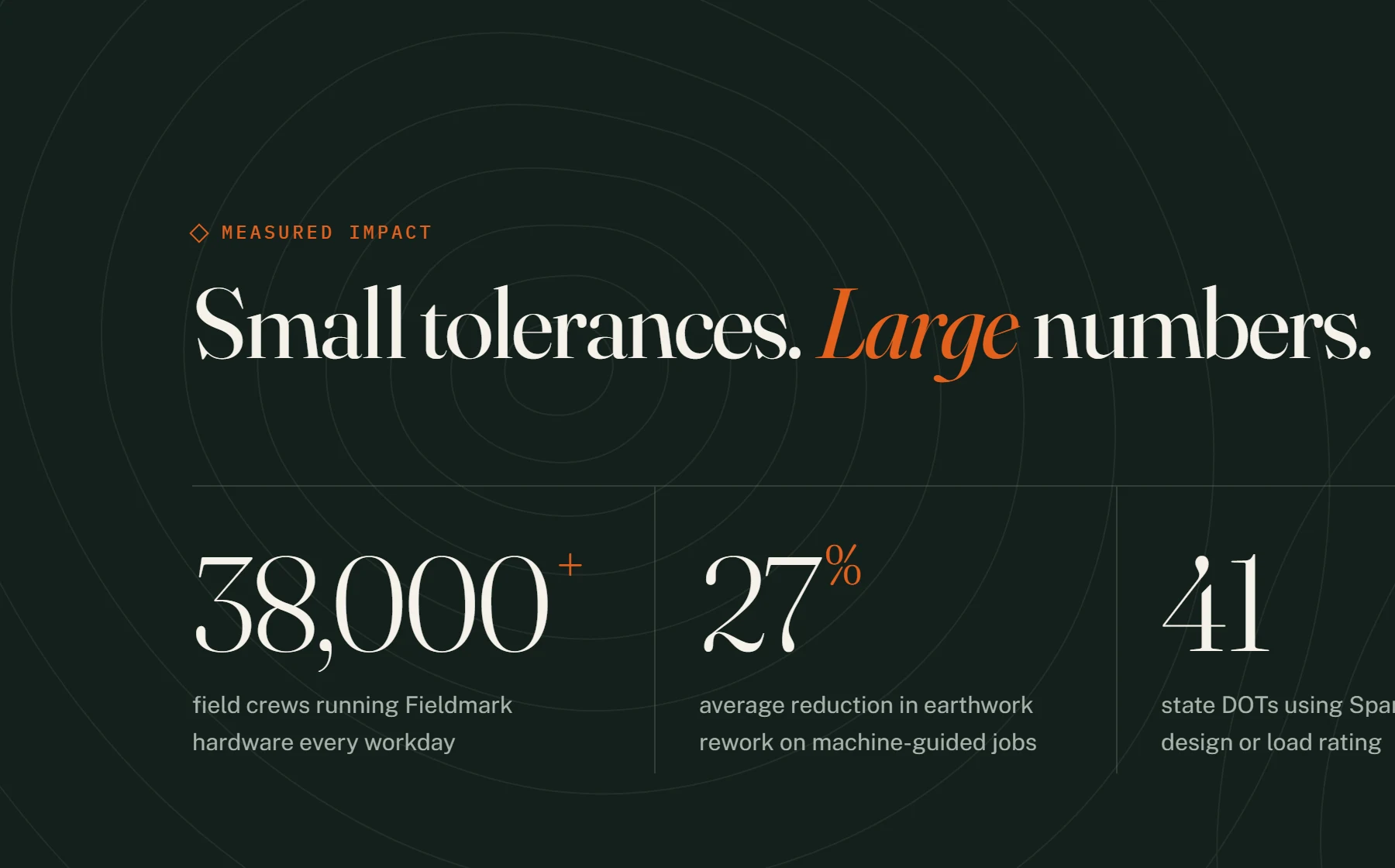
Motifs. Topographic contour lines run behind dark sections and the footer. Image frames carry crosshair corner marks, like a surveyor’s target.
A complex SaaS design system that scales across templates and markets
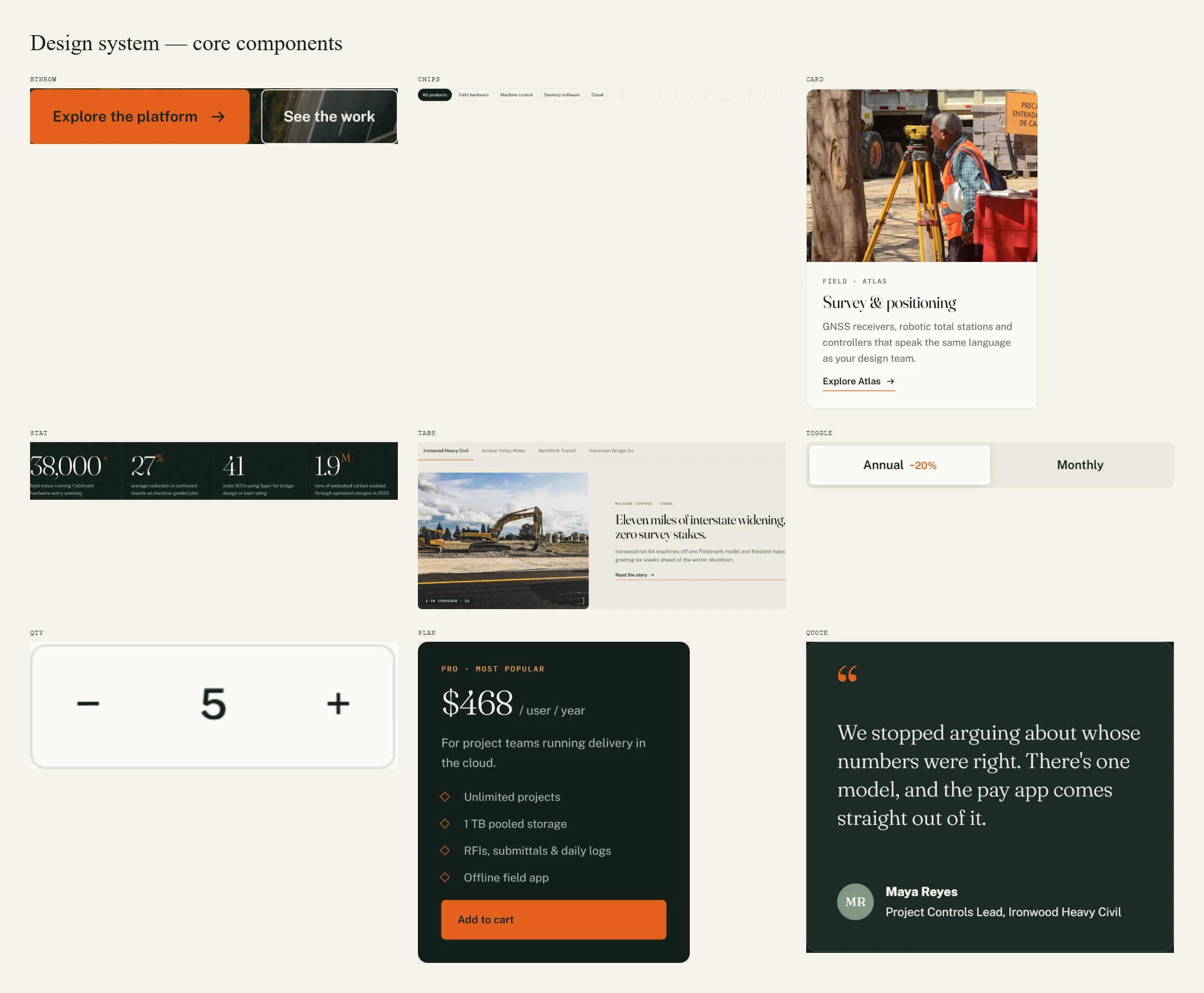
The design system is built on tokens for color, type scale, spacing, radius and motion easing, so every component inherits the same rules. The library includes:
- Layout - full-bleed hero, page intro, split feature rows, sticky sub-navigation
- Content - image cards, overlay cards, horizontal case-study cards, quote cards, stat rows, pull quotes, glossary lists
- Interactive - mega menu, carousels with counters, tabs, accordions, a billing toggle, a quantity stepper, filter chips, a gallery, a countdown
- Brand - contour backgrounds, crosshair media frames, a partner-logo marquee, a dark CTA band
Every component works on light and dark sections and collapses to a single column on mobile.
Motion and interaction design
Motion has a job here: it guides the eye down long technical pages and shows progress as you scroll. All of it respects the reduced-motion setting. Fourteen patterns, each shown below.
Eight templates, one system: heavy civil software interface design
1. Homepage: one thread from field to finance
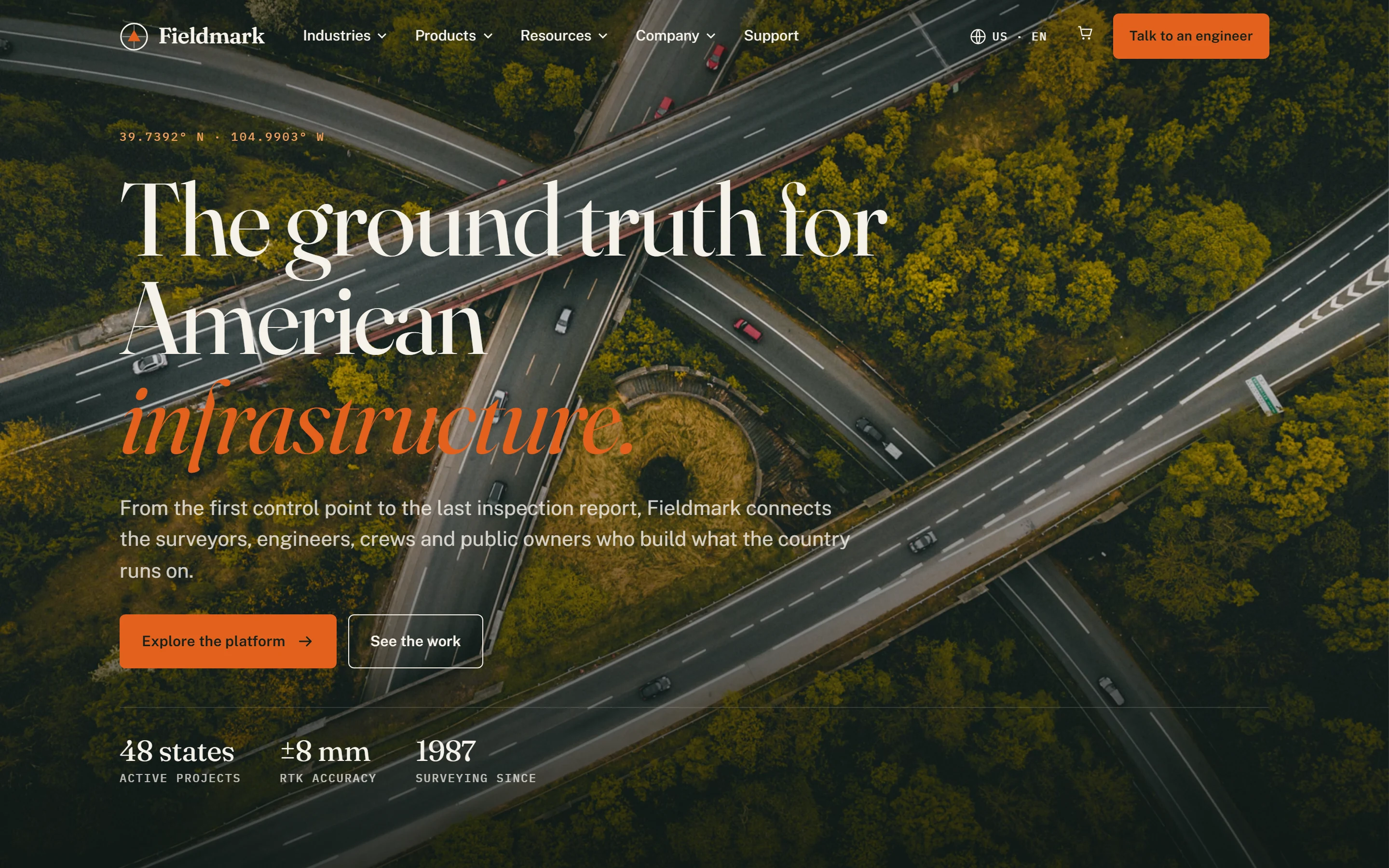
A full-bleed hero over a highway interchange sets the scale. Below it: an industries carousel, animated impact stats, a product trio (survey, structural engineering, collaboration), an AI feature banner, tabbed customer stories and a partner marquee.
2. Product overview: BIM software design for bridge engineers
The Span product page leads with three proof stats, then a six-card suite grid and alternating workflow rows for analysis, detailing and fabrication. It turns a feature list into a story about the workflow, the way a BIM software design agency handles 3D scan to BIM and reality capture content.

3. Industry landing: transportation and highways
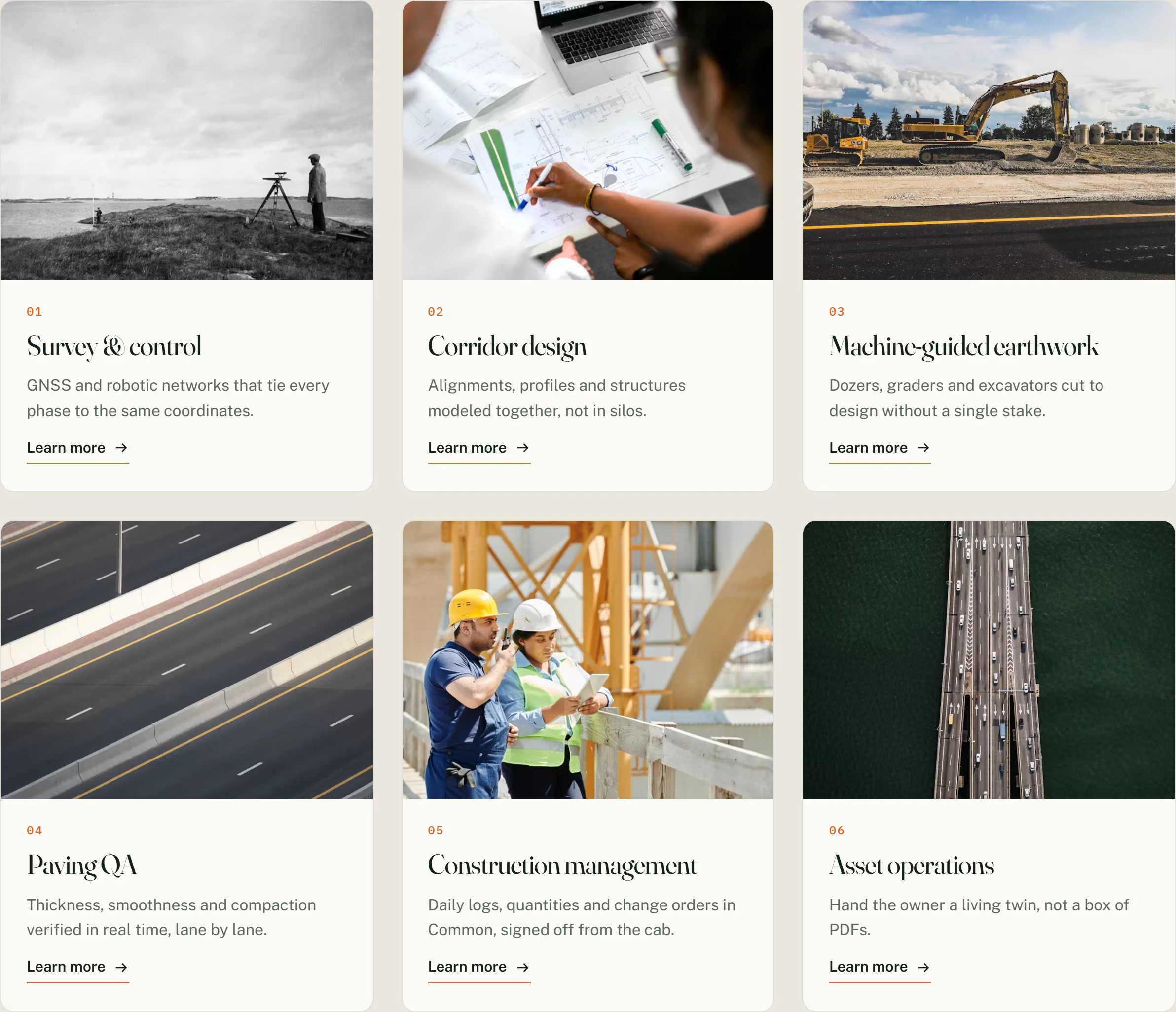
Six solution cards follow the corridor lifecycle, from survey control and machine-guided earthwork to paving QA and asset operations. A testimonial carousel and horizontal case-study cards add peer proof.

4. Editorial article: construction tech content strategy in practice
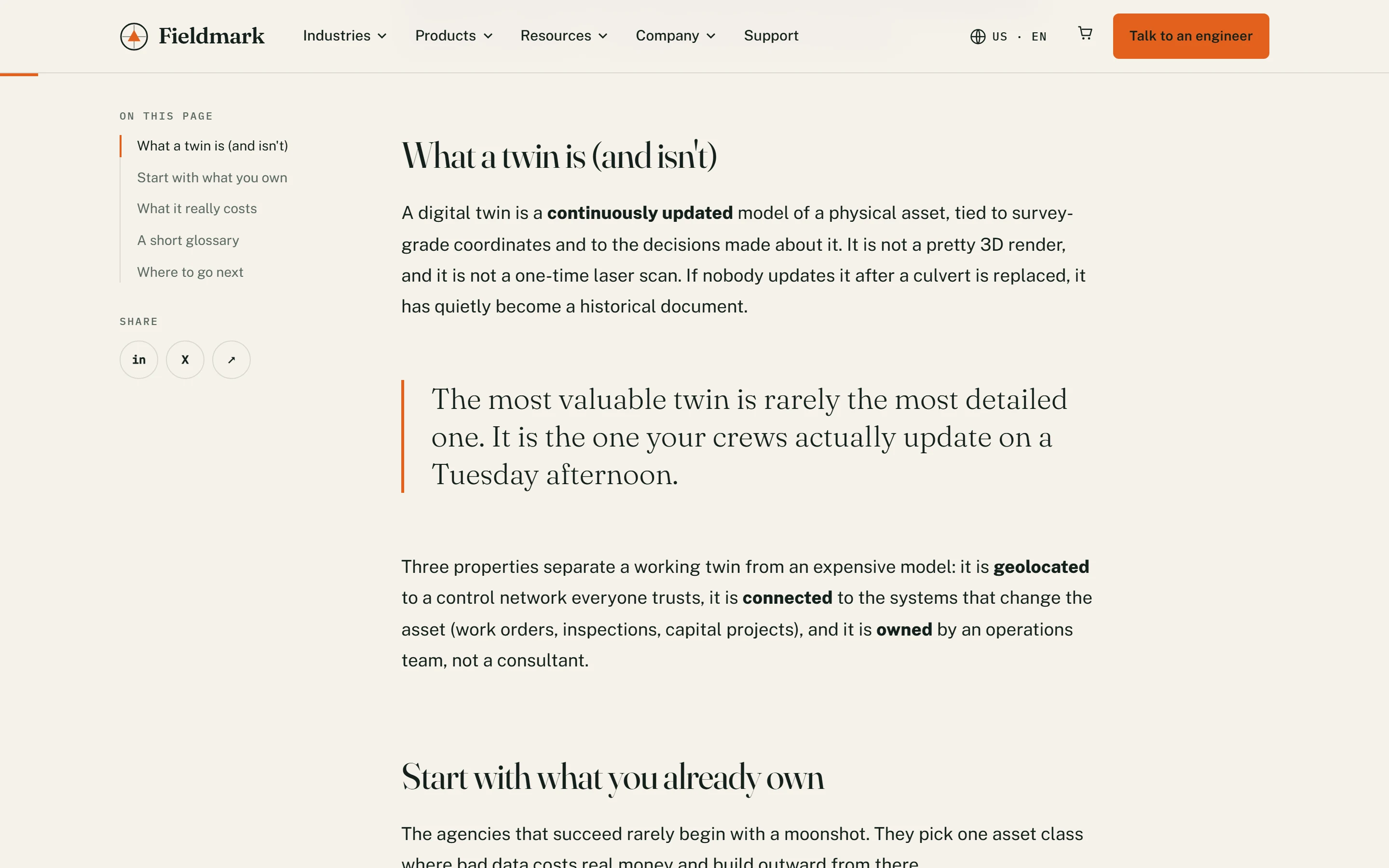
Long-form content carries a lot of weight in civil engineering software marketing and AEC digital marketing. The article template pairs a sticky table of contents with a comfortable reading measure, pull quotes, figure captions in mono and a glossary of terms such as 3D scan to BIM, reality capture and IFC 4.3.
5. Support and product finder
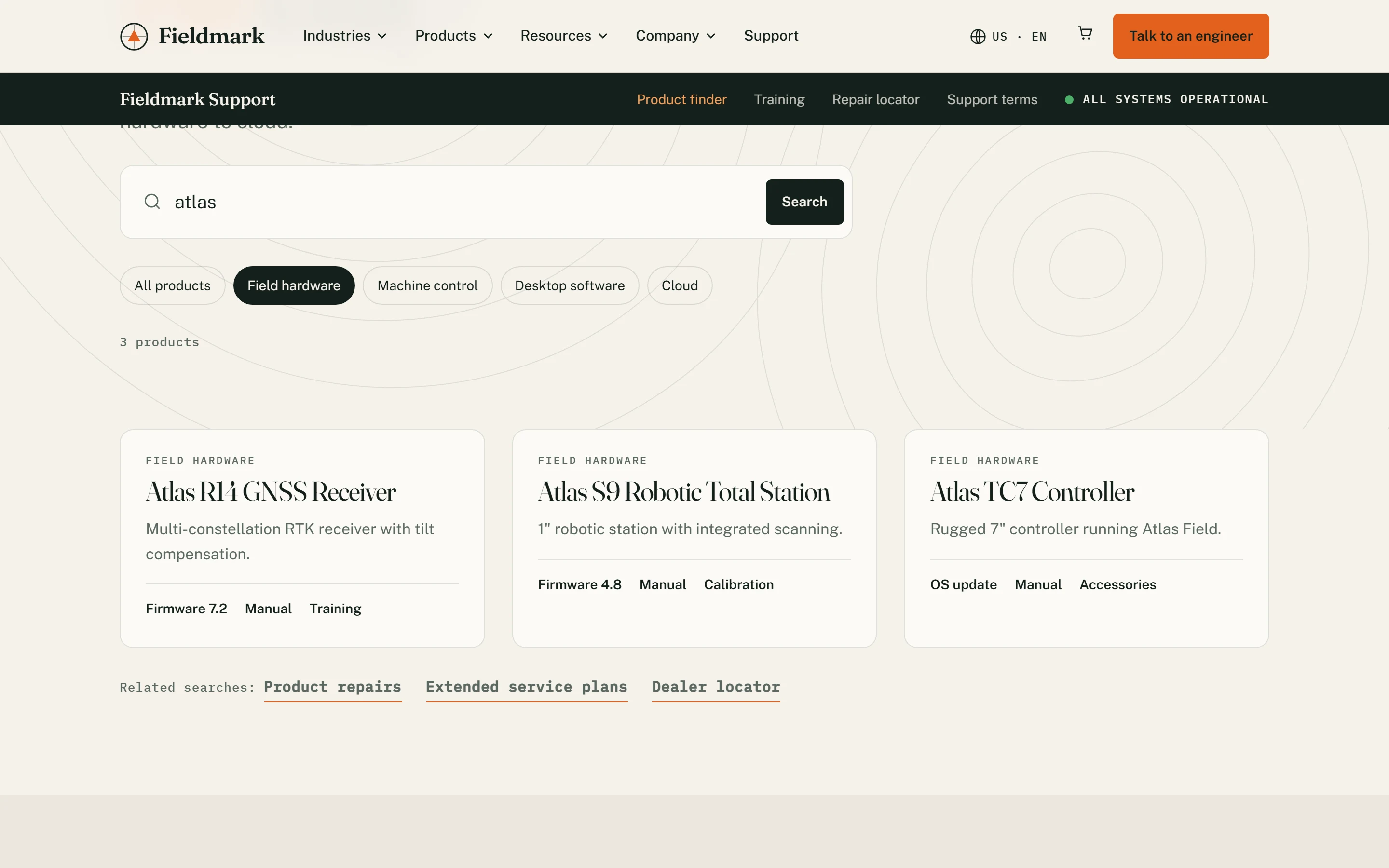
A dedicated support sub-brand with a live system-status indicator. The product finder filters robotic total stations, RTK GNSS receivers, 3D laser scanners, mobile mapping systems, GIS data collectors, machine control and software by category or keyword, a pattern taken from construction site audit software and field tools.
6. Legal and terms
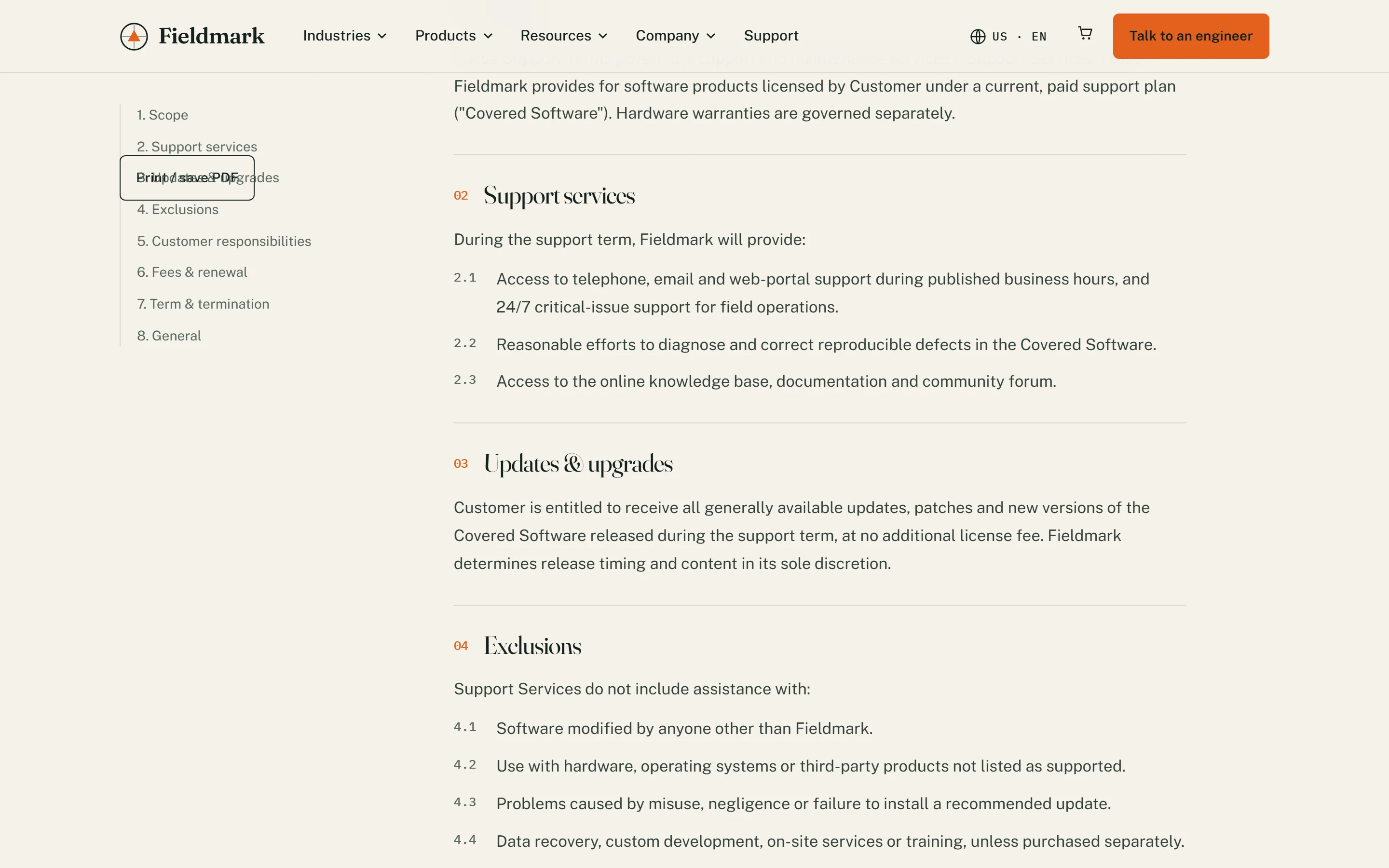
Dense legal copy made readable: numbered sections, a sticky contents rail, a version and effective-date header, and a print and PDF action.
7. Event microsite: user conference
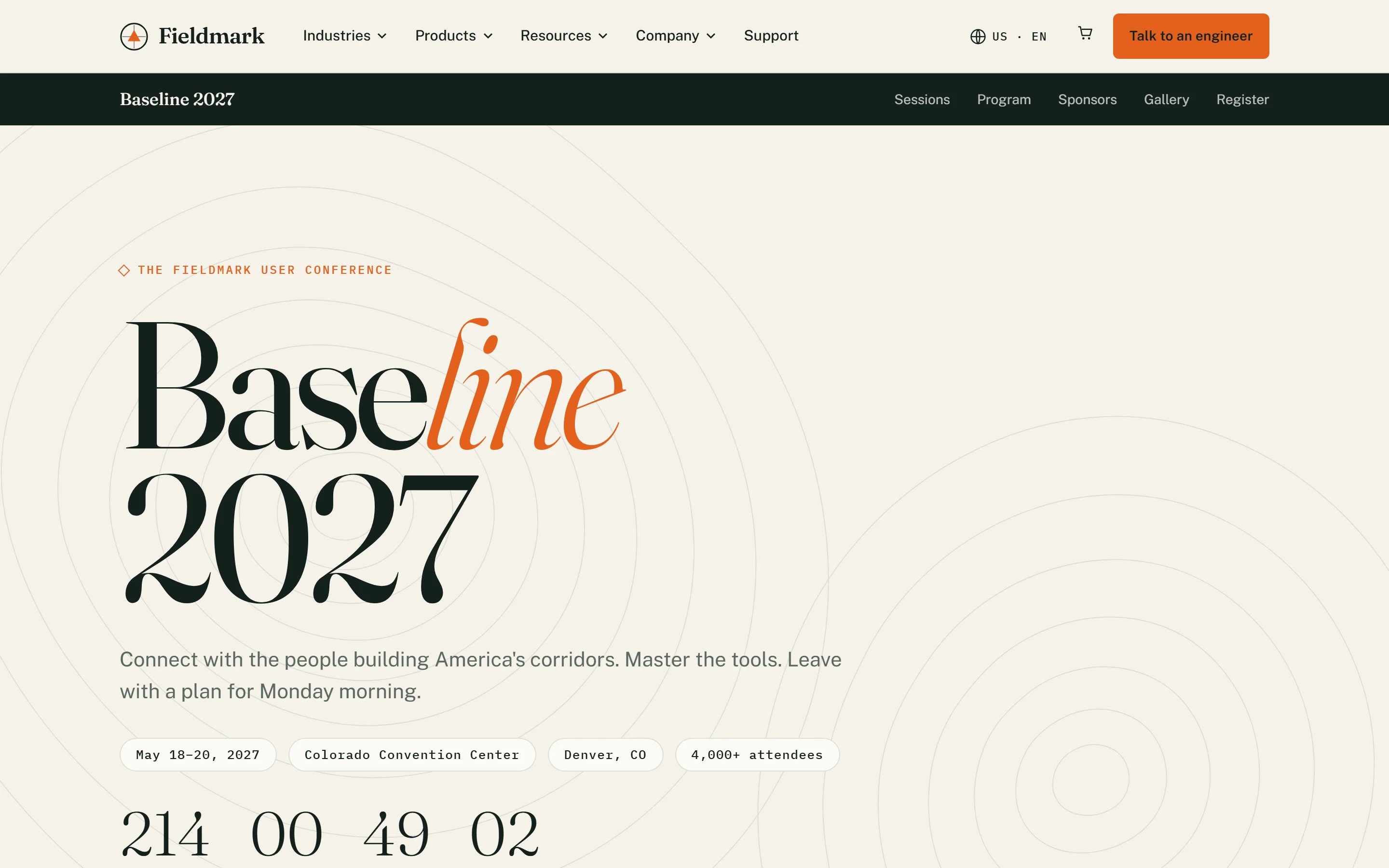
Oversized editorial type, a live countdown, quick-link icon tiles, alternating promo blocks, a program grid, a photo gallery carousel and an FAQ accordion.
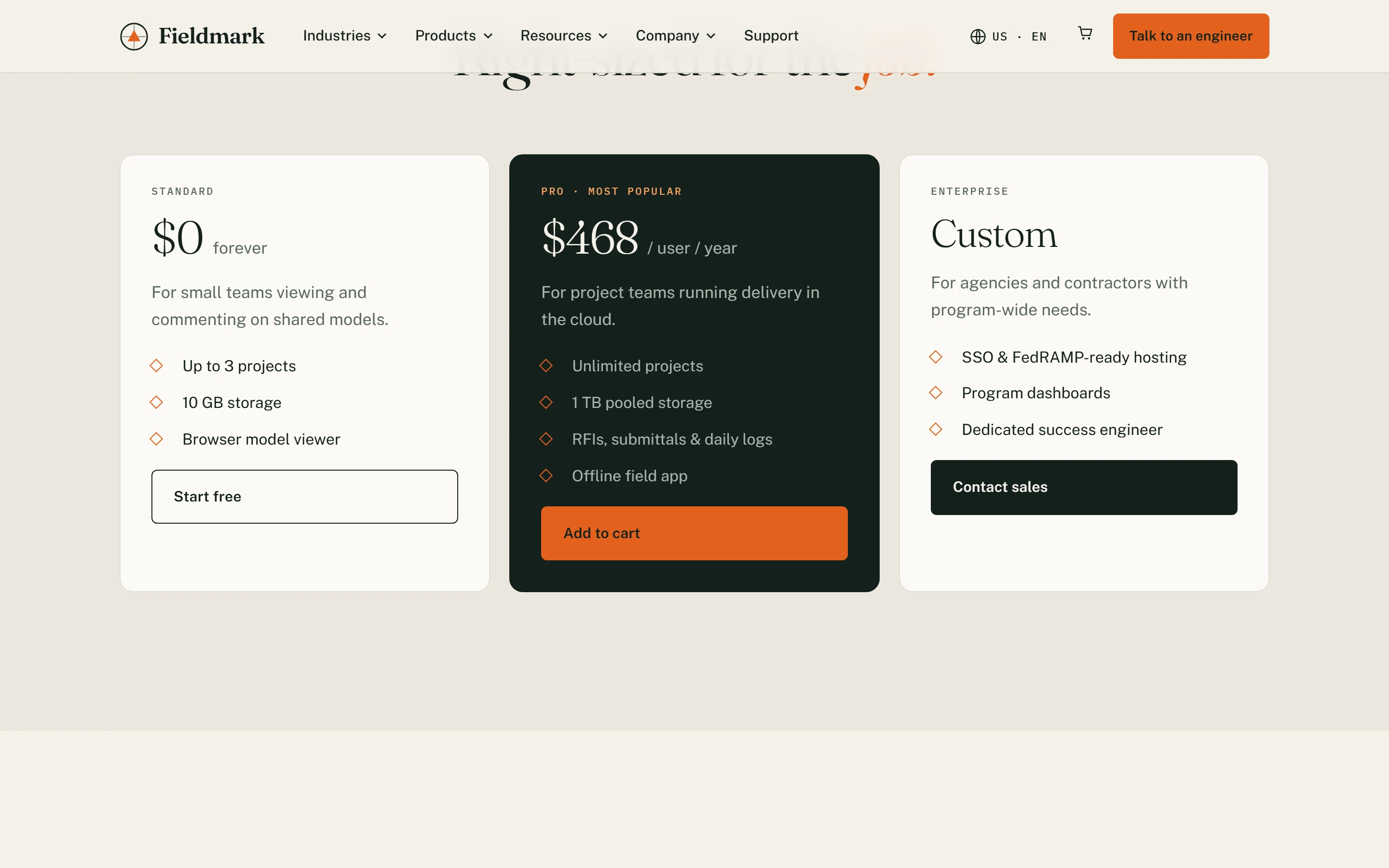
8. Pricing and checkout: construction management platform UI
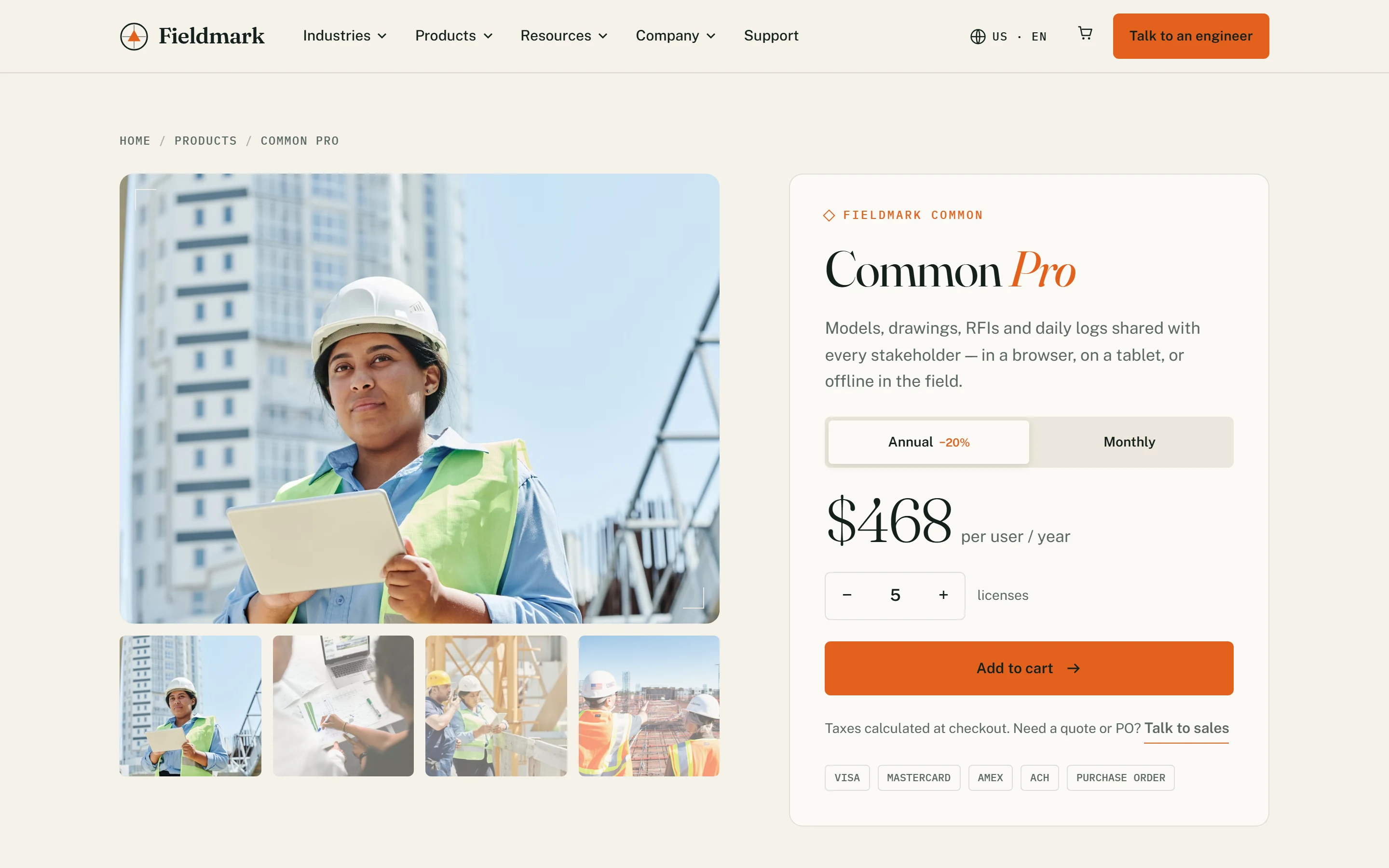
A product gallery, a sticky purchase panel with a billing toggle and seat stepper, a three-tier plan comparison, technical specifications, a six-step onboarding path and an FAQ. It answers procurement questions for SaaS construction management software and civil construction estimating software before a sales call.
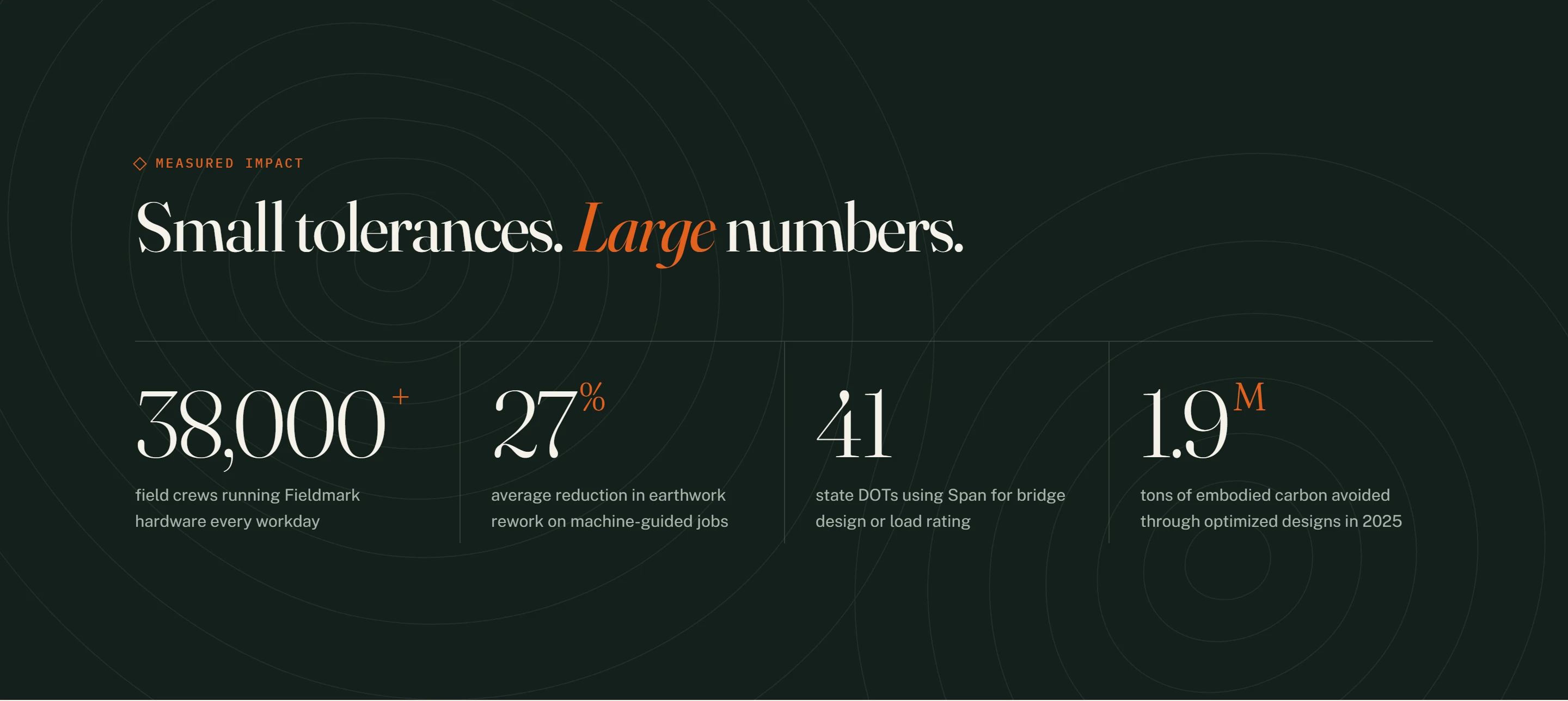
Data, stats and GIS data visualization UX
Infrastructure buyers think in tolerances and tonnage. Stats are never decorative: every number has a label, a unit and a sentence of context. Coordinates, accuracy figures (±8 mm RTK) and contour lines borrow from GIS data visualization UX and the conventions of a topographic map, which gives the brand a measured, map-like rhythm.
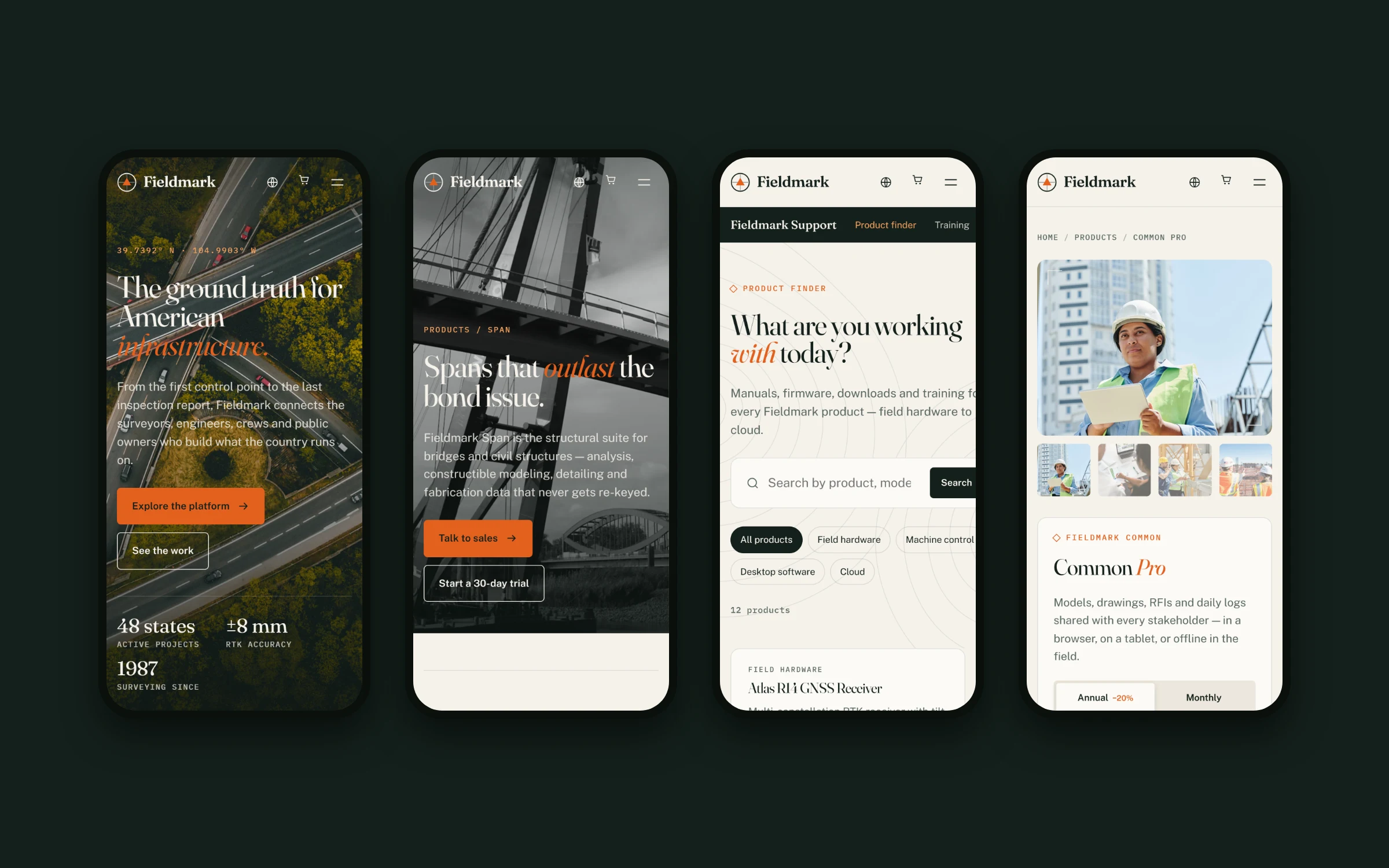
Responsive by default
Every template was designed mobile-first and checked at phone, tablet and desktop widths. Carousels become swipeable, split layouts stack, and the mega menu turns into a full-screen drawer with accordions. Survey crews and site engineers often check specs from the truck, so mobile is a first-class screen.
Accessibility and technical SEO
- Build - semantic, static HTML with one stylesheet and a single small script, no framework
- Accessibility - skip link, landmark regions, ARIA states on menus, tabs and toggles, visible focus rings and reduced-motion support
- SEO foundations - one H1 per page, descriptive titles and meta, keyword-relevant alt text, breadcrumbs and internal links between product, industry and editorial pages
Built to localize
Navigation, footer, contact details and the region selector sit in a single per-market configuration file. A new market such as Canada, the UK, Germany or Australia is a copy of one folder with design adjustments and localized content, all on the shared design system.
What we delivered
- A brand identity: name rationale, logo mark, palette, typography and motifs
- A UX audit and information architecture covering 8 template families
- A token-based design system with 30+ responsive components
- 14 motion and interaction patterns
- An accessible, localization-ready front end built as eight web design templates
Building civil tech, construction or infrastructure software?
We’re a civil tech software design agency and enterprise SaaS design agency for industrial software teams: construction management software, construction software for survey, BIM and GIS, and heavy civil products. Let’s make your product as clear as your engineering. See our web design, design systems and industrial UI/UX audit services, or more work in the civic tech industry.
FAQ
Is Fieldmark a real company?
No. Fieldmark is a self-initiated concept we created for this project. The products, customers and figures on the site are fictional.
What does a civil tech software design agency do?
We help companies that build construction, survey, BIM and GIS software explain complex products clearly. That covers brand identity, UX audits, website and product UI design, design systems and front-end builds.
How do you approach construction tech UI/UX design?
We start with the people in the field and the office: survey crews, engineers, contractors and public owners. We audit existing patterns, map the workflow, then design interfaces and content around the job each user is trying to finish.
Can you design UI for construction management software and SaaS platforms?
Yes. We design dashboards, pricing and checkout flows, onboarding and design systems for SaaS construction management software and enterprise SaaS platforms.
Do you work with BIM and GIS software companies?
Yes. We design product pages, data-heavy interfaces and GIS data visualization UX for BIM, reality capture, 3D laser scanning and mapping software.
Can you run a UX audit on an existing industrial product or website?
Yes. Our industrial UI/UX audits review navigation, templates, accessibility, performance and conversion paths, and finish with a prioritized fix list.